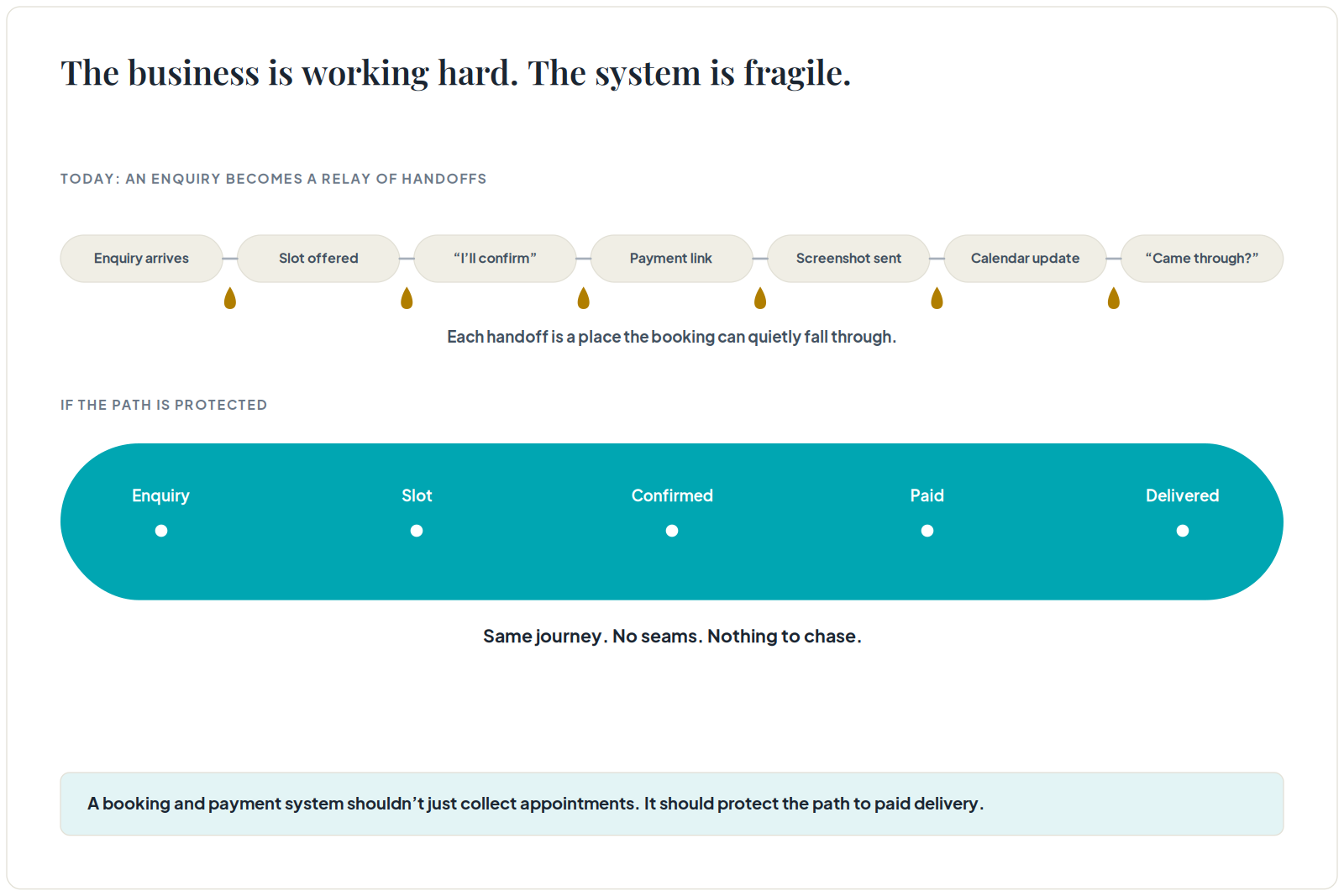
Service businesses often look busy while quietly losing revenue. The enquiry comes in. Someone offers a slot. The customer says they will confirm. A payment link is sent. A screenshot arrives. Someone updates a calendar. Someone else asks whether payment came through.
The business is working hard, but the system is fragile.
A booking and payment system should not merely collect appointments. It should protect the path from interest to paid service delivery.
Separate Enquiry From Booking
An enquiry is not a booking. A tentative slot is not a booking. A customer saying "I will come" is not a booking.
The business needs a clear definition of confirmed. For some services, confirmation requires payment. For others, it requires a deposit, intake form, staff assignment, or calendar lock. Without that rule, staff will treat customers inconsistently and owners will struggle to forecast revenue.
The first system decision is simple: what must happen before a slot is protected?
Connect the Calendar to the Money
Many service businesses treat calendar and payment as separate worlds. The calendar says a customer is booked. The payment app says something else. The WhatsApp chat contains screenshots. The owner checks the bank manually.
That split creates mistakes: unpaid bookings, duplicate slots, missed deposits, late reminders, and awkward customer conversations.
A better system connects booking status and payment status. The team should be able to see pending, deposit paid, fully paid, rescheduled, cancelled, refunded, and no-show without reconstructing the story from chat.
Design for the Staff, Not Just the Customer
Customer convenience matters, but the staff view is just as important.
A good service system shows the day's schedule, customer details, payment status, intake notes, service type, assigned staff, reminders, and follow-up tasks. It should reduce the need for staff to ask the owner what happened.
If a booking tool only gives customers a nice form but staff still coordinate through WhatsApp and memory, the system is incomplete.
Use Deposits Carefully
Deposits can reduce no-shows, but they need rules.
The business should define deposit amount, refund window, rescheduling policy, late cancellation rule, and how exceptions are handled. These rules should appear in the booking flow and in staff operations.
Without clear rules, deposits create customer friction and team confusion. With clear rules, they make demand more reliable.
Automate the Repetitive Parts
Once the flow is clear, automation can help. Booking confirmations, payment links, reminders, intake forms, reschedule links, review requests, and rebooking prompts are all good candidates.
But automation should follow the service model. A high-touch consultation may need manual qualification before payment. A studio class may need instant booking. A clinic may require intake and compliance checks. A venue may need quotation before deposit.
The best system fits how the service is sold and delivered.
Do Not Ignore Repeat Revenue
Many booking systems stop at the appointment. That is too late in the customer journey.
The system should also support follow-up: treatment plans, next session reminders, renewal prompts, package usage, membership status, review requests, referral asks, and dormant customer reactivation.
For service businesses, customer memory is often the difference between one-off bookings and compounding revenue.
What Karao Would Scope First
Karao would map the path from first enquiry to paid appointment and post-service follow-up. The key questions would be where enquiries arrive, how slots are offered, how confirmation works, how payment is tracked, who gets reminded, and what the owner needs to see.
The first build could be a booking and payment flow, a WhatsApp-to-booking system, a CRM plus reminders, or a lightweight owner dashboard. The right choice depends on the current leakage.
The goal is not to buy more software. The goal is to make every confirmed booking visible, paid, deliverable, and follow-up ready.
Practical Checklist
Before implementing a booking system, define service types, slot rules, staff capacity, confirmation criteria, payment rules, cancellation policy, reminder schedule, no-show handling, and follow-up triggers.
If those rules are unclear, the tool will only digitize confusion.