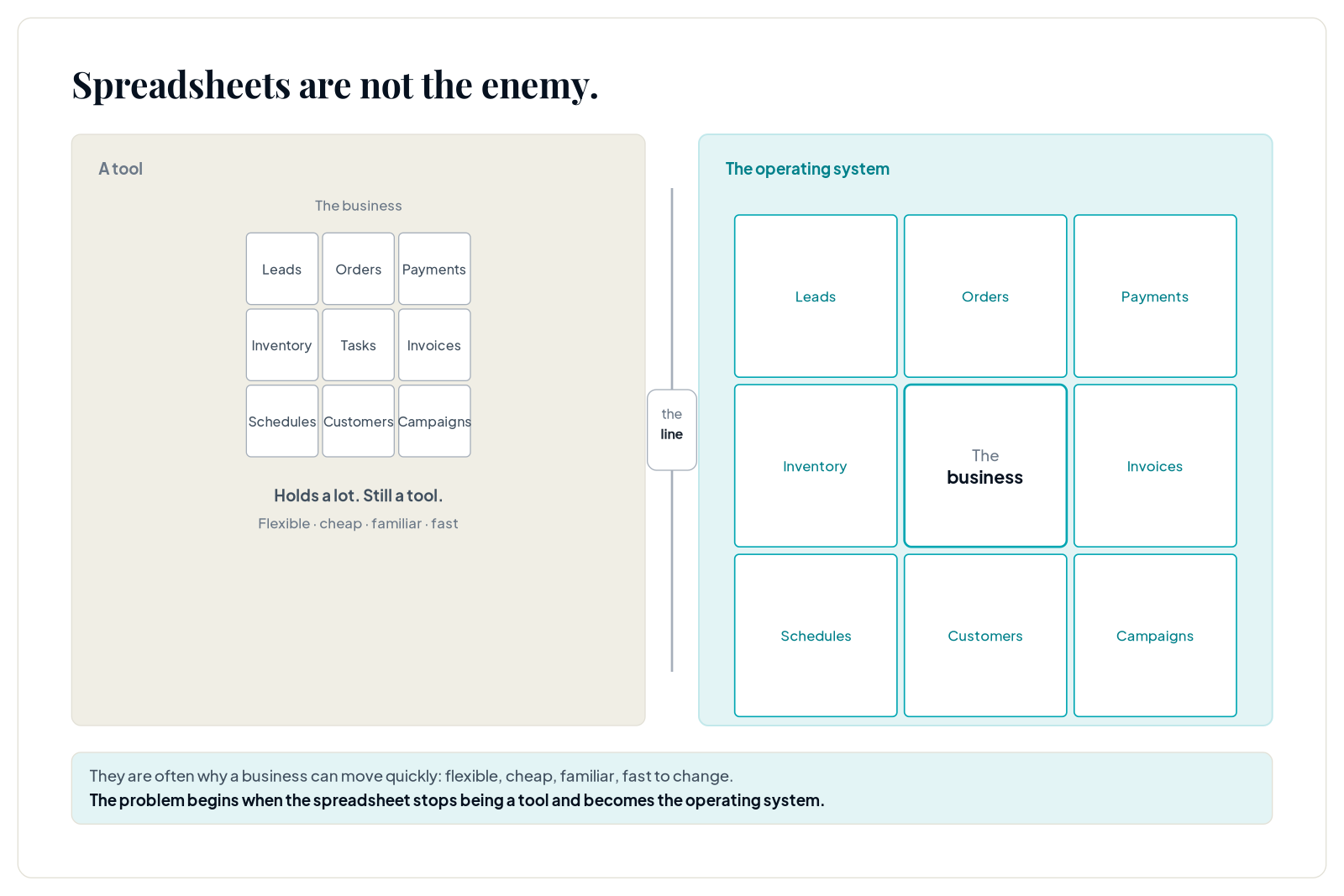
Spreadsheets are not the enemy. They are often the reason a business can move quickly in the first place.
A spreadsheet can hold leads, orders, payments, inventory, tasks, invoices, staff schedules, customer lists, and campaign trackers. It is flexible, cheap, familiar, and fast to change.
The problem begins when the spreadsheet stops being a tool and becomes the operating system of the business.
The Limit Is Not Just Rows and Cells
Official spreadsheet limits are real. Google Sheets and Excel both have boundaries around cells, rows, columns, file size, formulas, and performance. But most businesses hit an operational limit long before they hit a technical limit.
The sheet becomes slow to update. People duplicate tabs. Formulas break. Team members keep offline copies. Nobody knows which version is correct. Status updates depend on someone remembering to type the right thing. Reports require manual cleanup. A mistake in one cell changes the business view.
That is the real scaling problem.
A Sheet Is Not a Workflow
A spreadsheet can show data, but it does not automatically move work forward.
If a new lead appears, who owns it? If payment is pending, who follows up? If an order is delayed, who informs the customer? If stock changes, who updates every sales channel? If a service booking is rescheduled, what else changes?
When those actions depend on memory, the sheet is not a system. It is a shared notebook with business consequences.
The Warning Signs
Spreadsheets are usually ready to be replaced or supported when five patterns appear.
First, the owner is the only person who understands the sheet. Second, the team needs multiple manual updates for one customer action. Third, status fields are inconsistent or outdated. Fourth, customers experience delays because the team has to check data manually. Fifth, reporting takes too much cleanup to be trusted.
At that point, the business does not need a prettier spreadsheet. It needs a clearer operating model.
Do Not Jump Straight to Custom Software
The opposite mistake is assuming that spreadsheet pain automatically means the business needs a custom app.
Sometimes the right answer is a better database tool. Sometimes it is a CRM, booking system, inventory system, ecommerce backend, automation layer, or dashboard. Sometimes the sheet should remain as a reporting layer while the workflow moves elsewhere.
The decision should follow the process, not the frustration.
Find the Source of Truth
Before replacing a spreadsheet, identify what each sheet is actually doing.
Is it a source of truth, a temporary workspace, a report, a task tracker, a CRM, a finance log, an order database, or a planning file? Many messy sheets fail because they are trying to be all of these at once.
Once each role is clear, the migration becomes safer. Customer records may move into a CRM. Orders may move into an order system. Payments may sync from the payment provider. Reporting may pull from structured data. Planning may stay in a sheet.
Build Around the Workflow, Not the Table
A common migration mistake is copying the spreadsheet exactly into a new tool. That preserves the mess.
A better approach starts with the workflow: lead arrives, qualification happens, quote is sent, booking is confirmed, payment is collected, service is delivered, follow-up is scheduled. Then the data model follows the work.
This is where systems become useful. The tool can assign ownership, enforce statuses, trigger reminders, prevent duplicate records, and create a reliable owner view.
What Karao Would Scope First
Karao would start with a Manual Ops Leakage Audit. The audit would map the sheets, chat channels, payment flows, customer records, and reporting needs.
The goal would not be to replace every sheet. The goal would be to identify which parts of the business need structure first. For some teams, that is lead capture and follow-up. For others, it is bookings and payments, order tracking, inventory visibility, or management reporting.
A good system removes the fragile work from the spreadsheet while keeping the flexibility the business still needs.
Practical Checklist
Before moving away from spreadsheets, list every sheet, its owner, its purpose, its users, its update frequency, its downstream decisions, and what breaks when it is wrong.
The sheet that creates the most operational risk should be the first candidate for systemization.